
What do you need to get started?
To make your Abstract Artist design, you’ll need:
- A household iron
- Scissors
- A pen for tracing - thick markers or felt tips work best.
- Something to protect your surface (I use thick cardboard) or an ironing board
- Your item to apply the design to (t-shirt, tote bag, etc.) - Make sure it’s suitable for ironing
Most importantly, a Make Your Own T-shirt Craft Kit pack.
How to Use The Joyful Rebel's Make Own Tshirt Kit - Abstract Artist
What’s included in your Abstract Artist Craft Kit?
Inside your kit you’ll find everything you need to create your design (you just add a t-shirt and an iron):
- 4 sheets of vinyl in bold colours: fluorescent pink, green, and yellow, plus glow-in-the-dark
- A drawing + planning sheet to sketch out your design
- Easy step-by-step instructions
- A sheet of heat protective paper
- A small sample vinyl pack for testing your iron settings before you start
Step-by-step instructions
Step 1: Plan your design
Use the drawing sheet provided to sketch out your design first. This really helps with visualising how it will look on your t-shirt or bag.

Step 2: Draw (or go rogue!)
This step is optional… you can go full rogue and start cutting freehand.
But for less rogue designers, I recommend drawing your design onto the coloured side of the vinyl first.
Top tip: Don’t worry about pen marks — the vinyl has a clear protective layer that gets peeled off later.

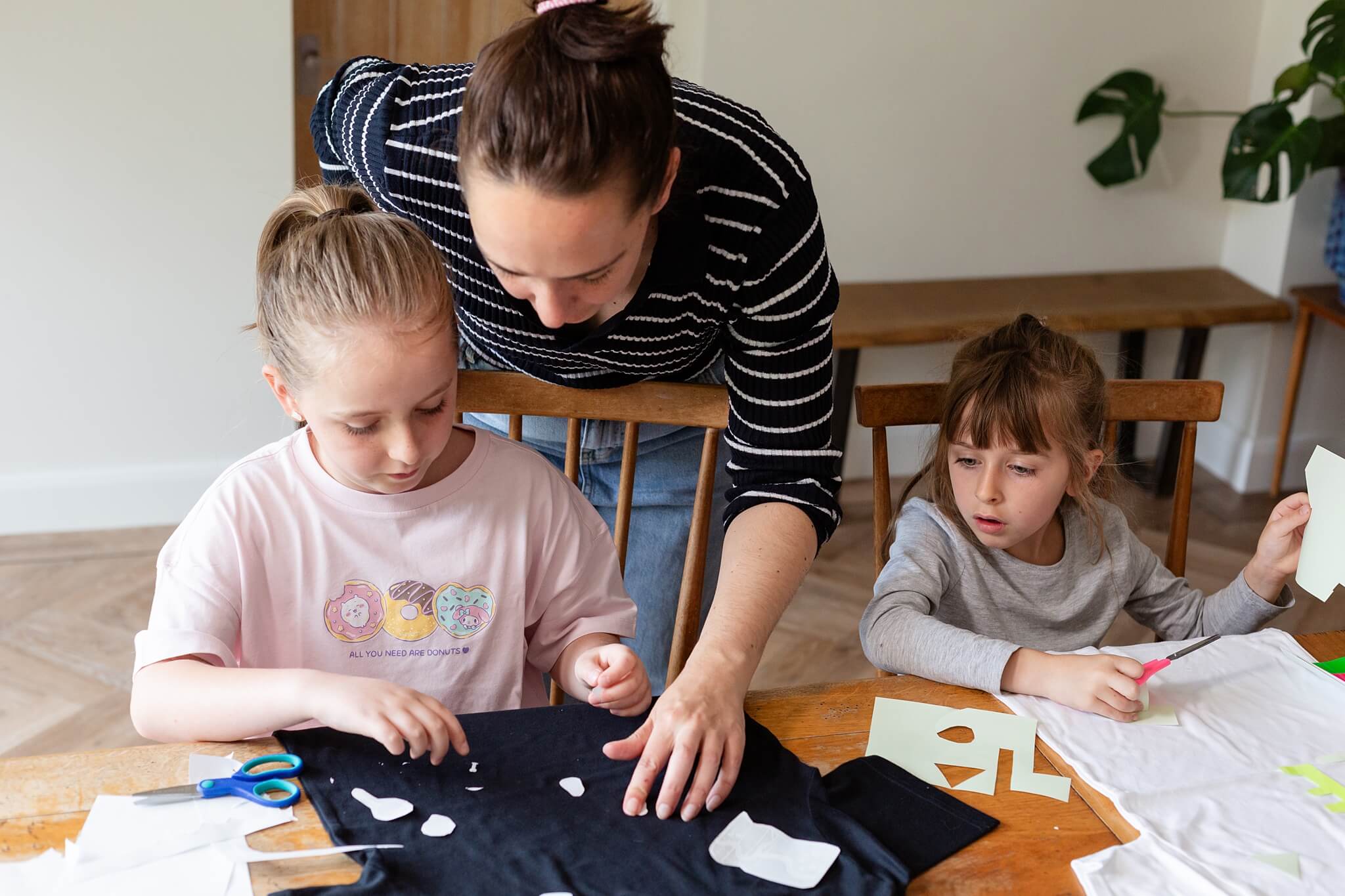
Step 3: Cut out your shapes
Carefully cut out your shapes using scissors. Once everything is cut, you’re ready to start applying your design.

Step 4: Prep your fabric
Before adding any vinyl, give your item a quick iron.
This removes wrinkles and moisture so your vinyl sticks better.
Step 5: Set your iron
Set your iron to the cotton setting and make sure the steam is turned OFF.
All irons vary slightly, so use the sample vinyl pack to test your settings before committing. Make sure that you are protecting your work surface!

Step 6: Lay out your design
Place your vinyl shapes onto your item.
I recommend starting with a few smaller shapes first, then adding more as you get used to the technique.
Step 7: Cover with protective paper
Cover the vinyl completely with the heat protective paper.
Make sure every vinyl shape is covered before ironing.

Step 8: Press and hold
Press down firmly with your iron and hold it in place.
Move in small circles to make sure you heat the whole shape evenly.
Step 9: Cool + peel
Remove the iron and protective paper, then leave your design to cool for 15–30 seconds.
Now peel away the clear top layer.
If you gently bend the vinyl at the edge, the clear layer should lift (and yes — it’s very satisfying!).
If it doesn’t peel easily, press again and leave it a little longer to cool.
Don’t worry if a piece doesn’t seem fully stuck yet — you’ll do a final press at the end.

Step 10: Final press
Once your full design is applied, cover everything again with the protective paper and give it one final press to make sure it’s fully adhered.

Need more details and tips - check out this video.

Top Tips
How to cut a section from the middle of a shape?
If your design has an inner section to remove (like the middle of a circle), simply make a small cut into the vinyl to reach it.
Don’t worry about cutting through the shape — once it’s pressed onto your fabric, the cut won’t be visible.

Top Tips
How to layer shapes?
You can layer vinyl shapes on top of each other to build up your design.
For best results, apply your design in stages and peel off the clear top layer after each piece before adding the next shape.

Top Tips
How to create different shapes?
If you want to make lots of different shapes, there are a few easy ways to do it:
Use templates — print shapes, cut them out, and draw around them onto the vinyl
Use everyday items — lids, cups, coins, or anything with a good outline
Try card punches — these are great for quick, neat shapes

Top Tip
How to make the Glow-in-the-dark really glow?
When the glow-in-the-dark vinyl has been sitting in the packet, it sometimes needs a little boost.
Simply pop it in bright sunlight for a few minutes (or under a strong light) to “charge” it — then it will glow much more brightly.